Disclaimer: The solutions provided by Candera are demo samples and are intended as showcase for potential projects with Candera CGI Studio CE. The solutions have been tested in our own development and test setup with Raspberry Pi 4 and may require adaptions to properly work in your own environment.
 The idea
When thinking about use-cases for our tool and the available Raspberry Pi hardware one thing came to our mind: What is available in many households but could benefit from better accessibility?
The answer was found rather fast: Smart home panels. While available in most modern households the user interface is tailored mostly for grown-ups or at least children with reading capability. Smaller children are mostly out of the loop when it comes to interaction with the home automation system.
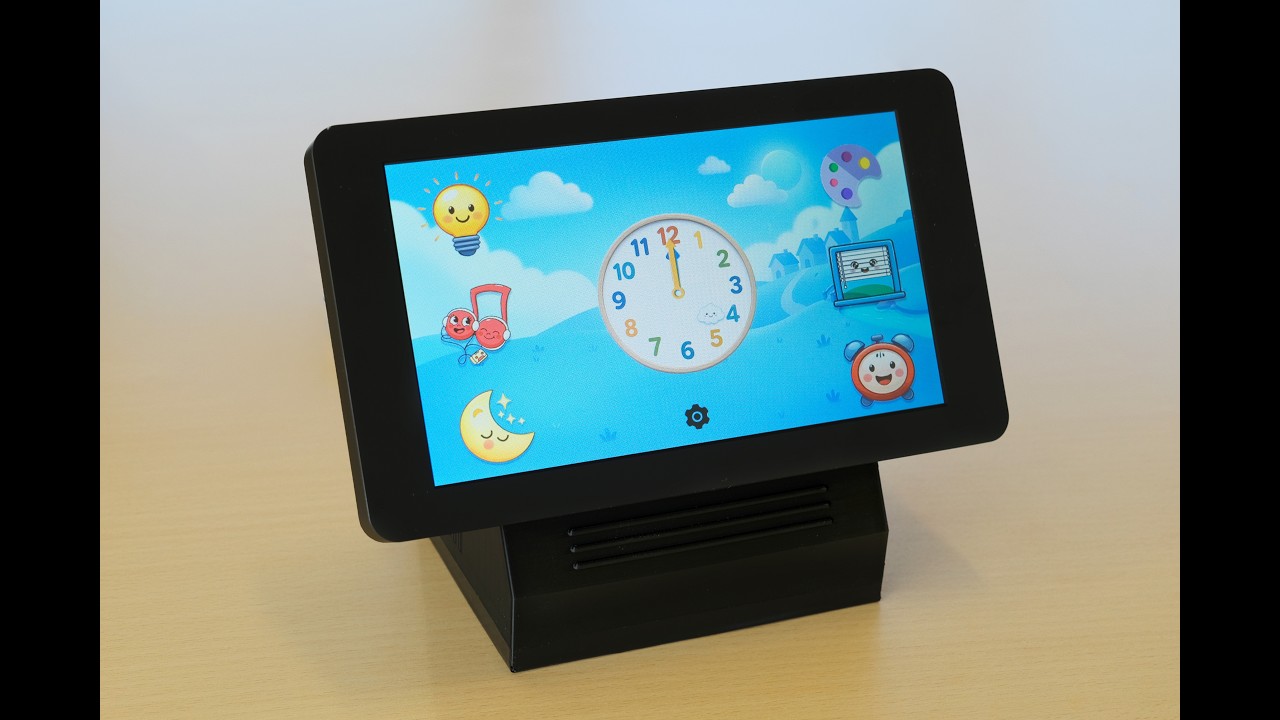
We wanted to change this and have developed a first prototype of a children’s smart home panel. This allows also smaller children to actively interact with Home Assistant. They can now control the lights and the shutters (insofar available), select music radio stations or activate a nightlight.
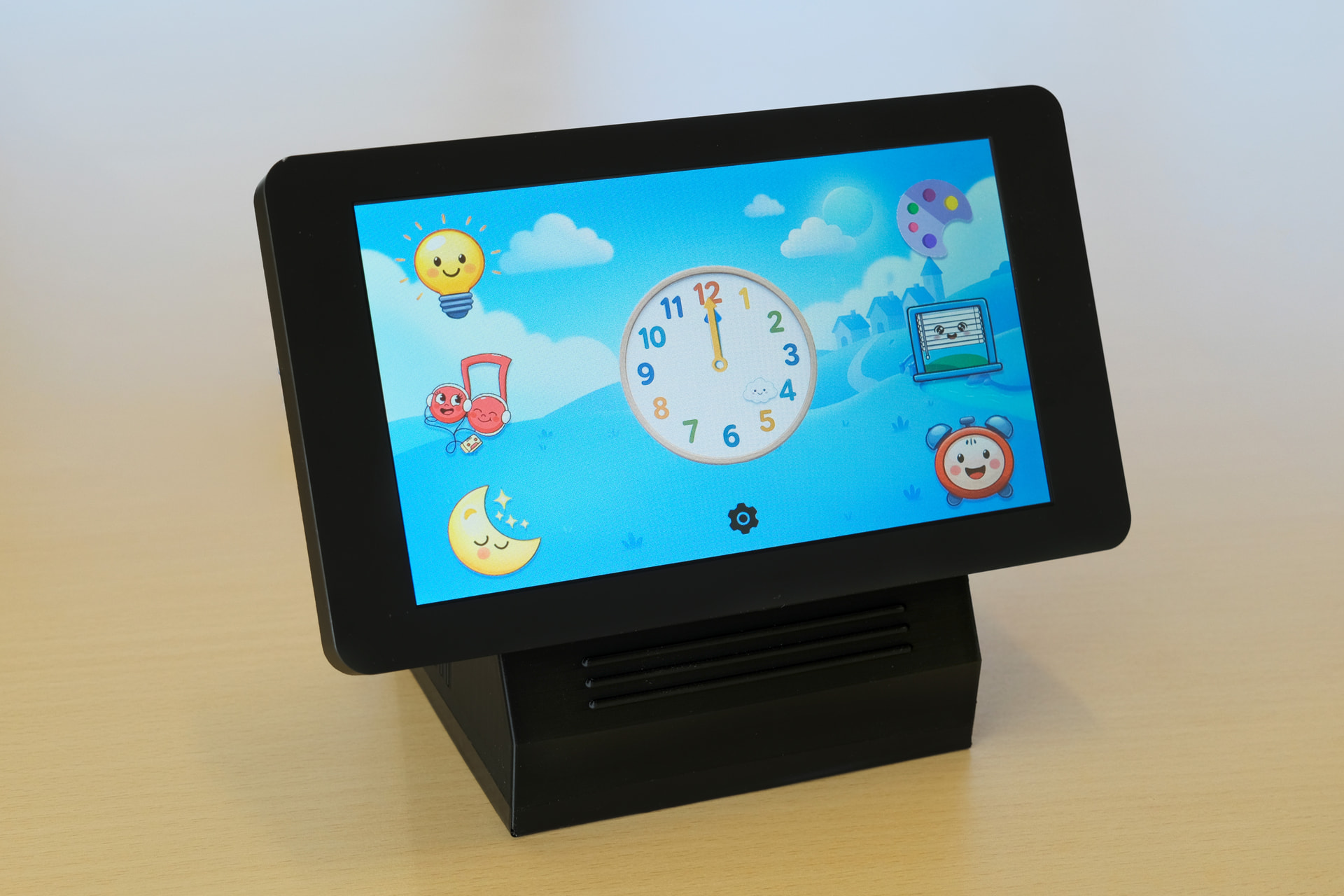
You can find the solution in our Downloads section.
 The setup
We have developed the sample based on the following setup:
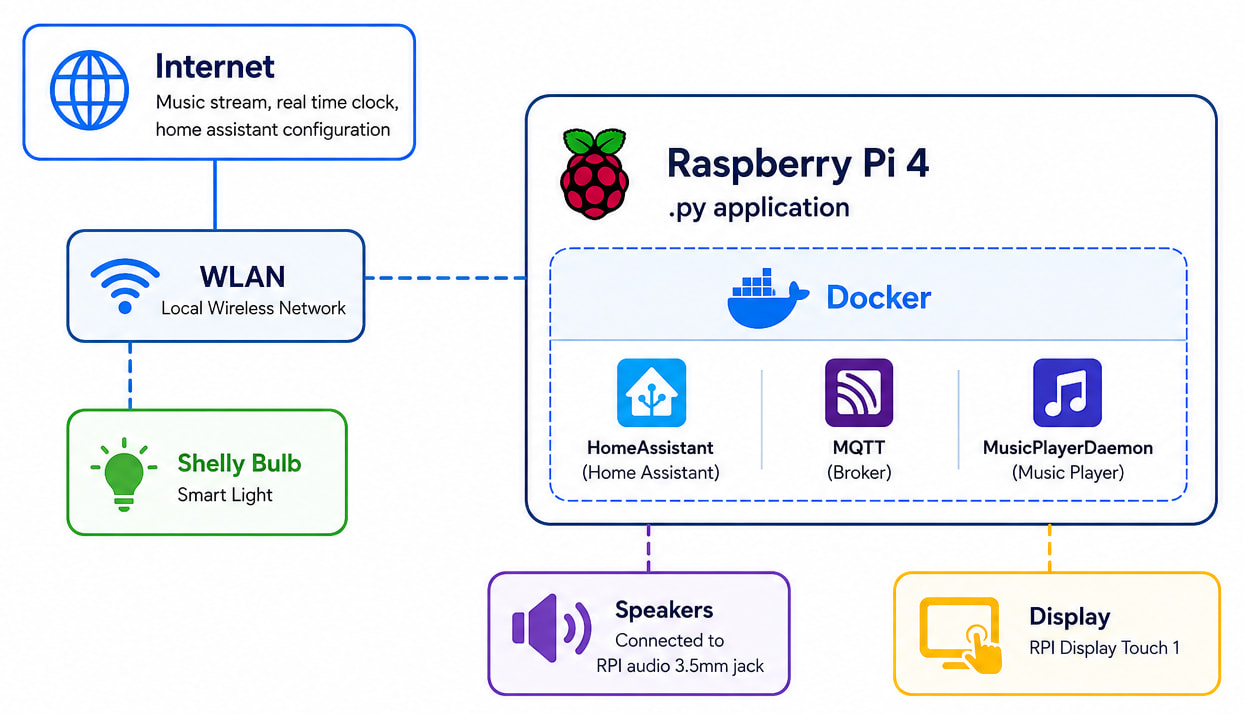
Communication between homeassistant and py app is managed via MQTT protocol.
 Required skills: Advanced
Deploying the solution on hardware and integrating it will require some advanced skillset for below mentioned areas. The step-by-step guide can be found in the README.md file that is part of the download package.
- Candera CGI Studio SceneComposer (guide can be found here)
- Docker (Compose)
- HomeAssistant
- MQTT Broker (Mosquitto)
- Music Player Daemon
In case you have questions or find yourself not managing the setup, please let us know and we will support you.
 The demo