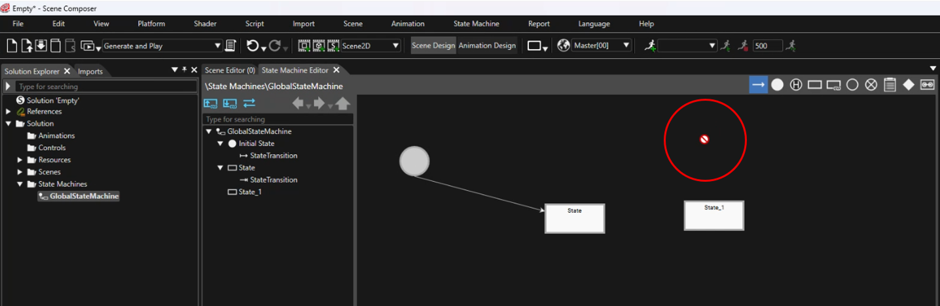
I’m trying to create states in the State Machine, but it’s not working for me. Whenever I drag a transition into the State Machine area, a blocking icon appears, and I am unable to add the transition.
Please refer to the image below for the issue I’m encountering.
The blocking icon you’re seeing is completely normal, so there’s no need to worry about it. Once you drop the transition onto a state, the icon will change automatically.
After that, left-click to define the transition. The first click selects the source state, and the second click selects the target (destination) state, which also defines the direction of the transition.
For a better understanding, you can follow the YouTube video below, which demonstrates the entire process step by step.