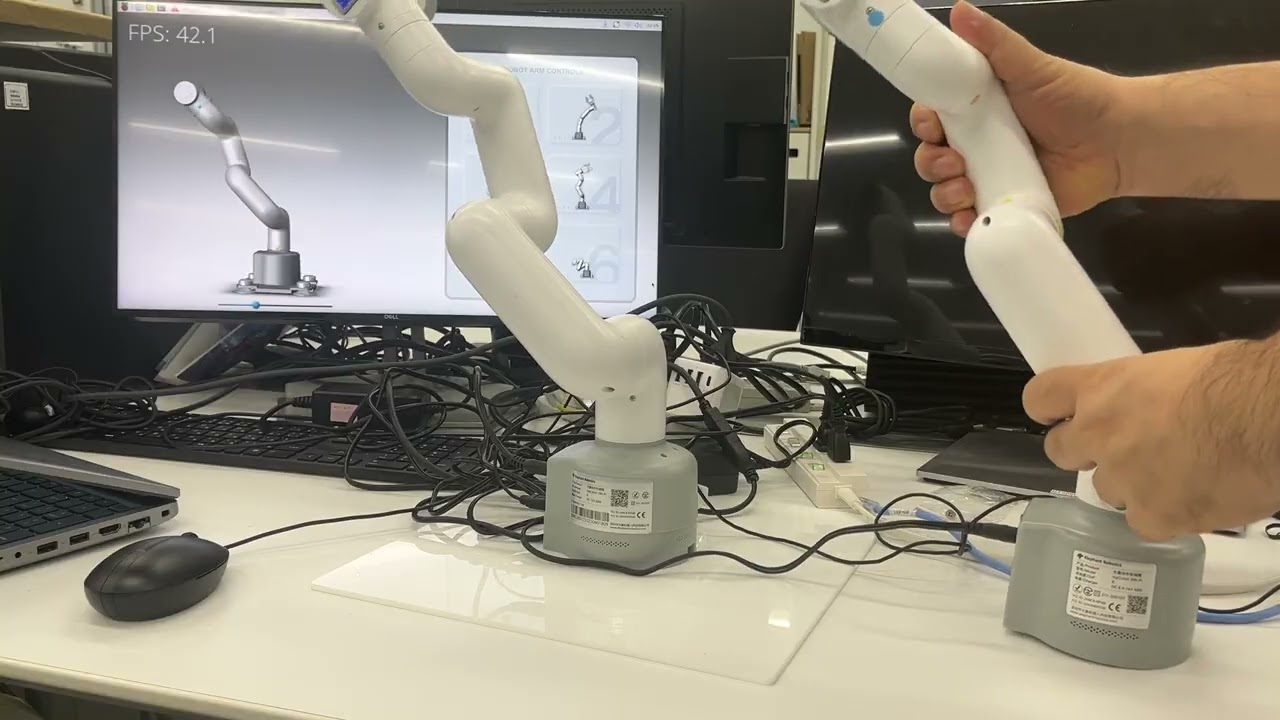
Hello, I am an engineer at Candera and I developed the following demo showcasing the capabilities of CGI Studio.
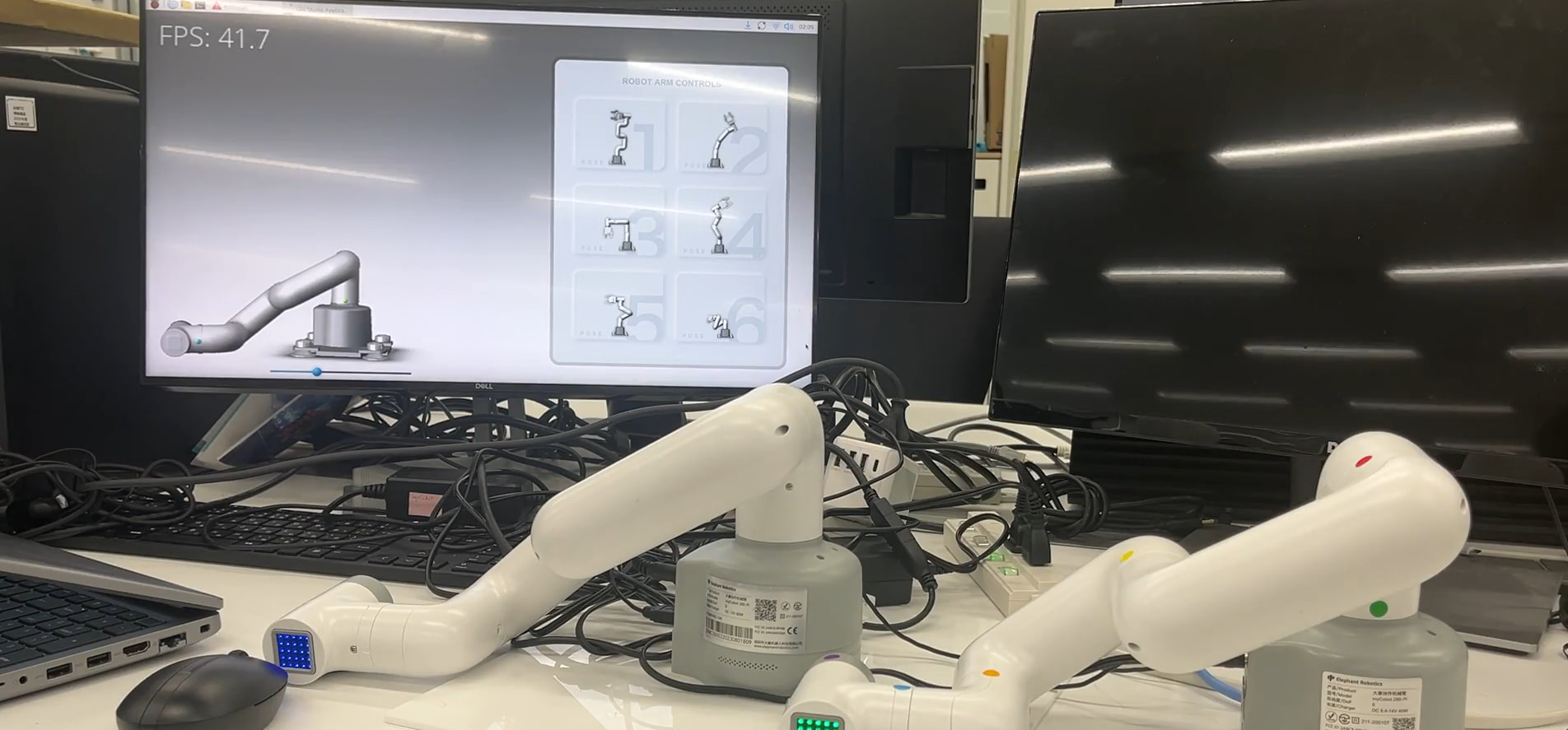
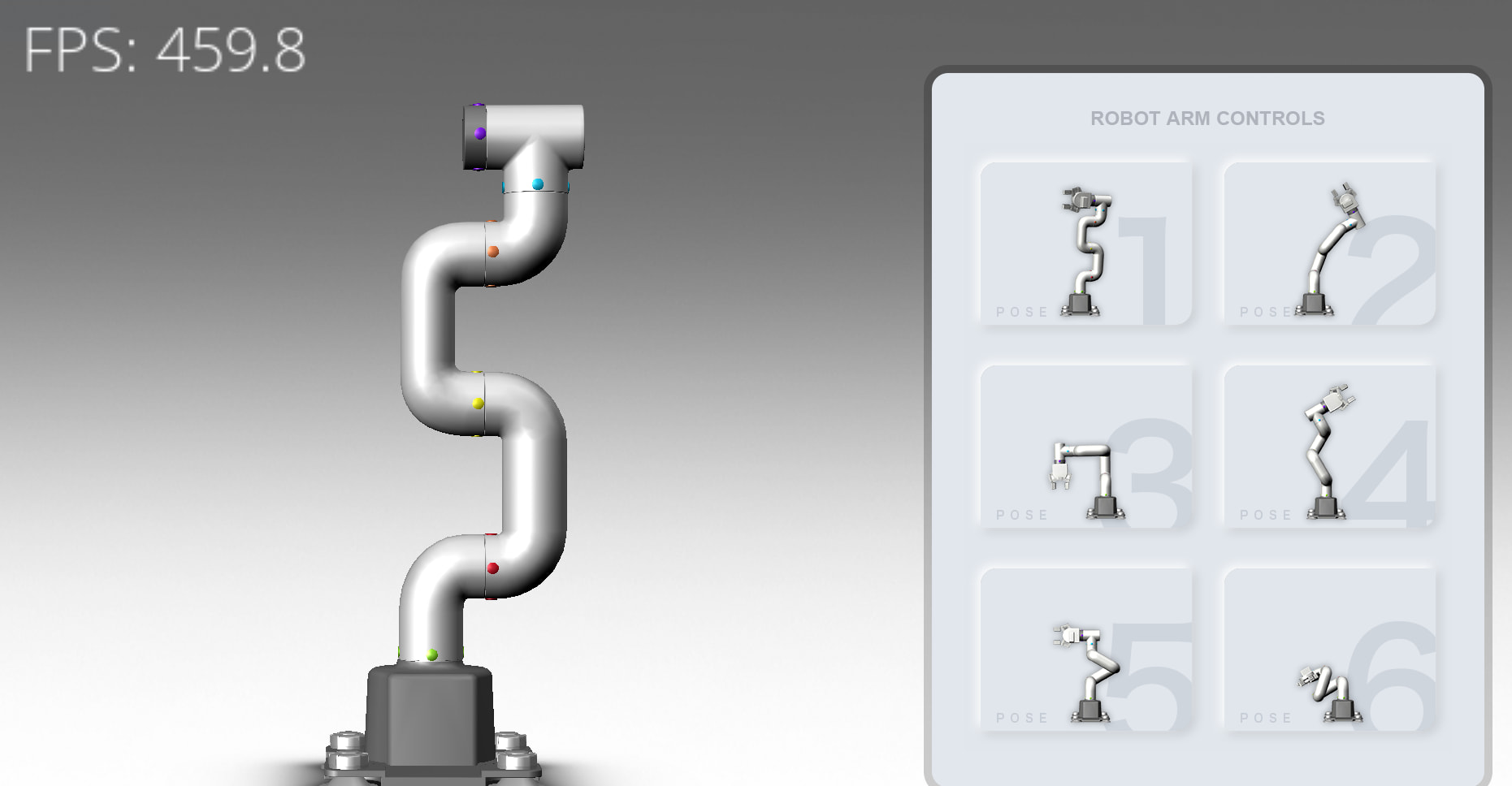
When we think of Human-Machine Interfaces (HMIs), we typically imagine touchscreens, buttons, and perhaps a few sliders. But what happens when the “input device” is an entire six-axis robotic arm, and the “graphical interface” includes both a 3D digital twin and a second physical robot instantly mirroring your movements?
In the embedded HMI space, bridging the physical world with real-time graphical feedback is a fascinating challenge. Advancing beyond basic hardware integrations, we set out to build a true 1:1 teleoperation system using a pair of myCobot 280 Pi robotic arms (uses a Raspberry PI 4 as the central control for the robot) and Candera’s CGI Studio Community Edition which runs on the raspberry Pi of the robot.
The goal was simple: move the master robot by hand, and watch the follower robot and a 3D digital twin reproduce the exact motion with zero perceptible latency.
The Concept: High Impact, Simple Data
From a purely technical perspective, the leap from binding simple single-value inputs to tele-operating a six-axis robotic arm is surprisingly small. In both cases, the core mechanism relies on data binding between a physical device and a visual representation. Instead of mapping a couple of basic data points, the middleware is simply packing and unpacking six floating-point joint angles.
However, the resulting user experience is dramatically different. When a user physically grabs a robotic arm, moves it through 3D space, and immediately sees that exact fluid motion reproduced by a physical clone and a digital avatar on the screen, the connection between the physical world and the GUI becomes incredibly intuitive.
The amount of data being transferred over the network is not drastically larger than a standard sensor array, but the visual impact and the feeling of direct control are vastly magnified. This contrast—a relatively straightforward technical pipeline creating a profoundly engaging user experience—is what makes digital twin teleoperation so compelling.
The Architecture: Master, Follower, and Twin
To decouple high-speed UI rendering from physical hardware limits, the system utilizes an asynchronous, headless UDP network architecture.
- The Master (Sender): One myCobot 280 Pi operates with its servos released, acting entirely as a sophisticated input controller. A lightweight Python script reads the arm’s physical joint angles at roughly 20Hz, packs them into a highly efficient binary struct (
!6f d), and fires them over the local network via UDP. - The Follower & HMI (Receiver): A second myCobot 280 Pi acts as the server. It catches the UDP packets and splits the data into two instant streams: one commands the physical servos of the follower arm, and the other feeds the Candera 3D engine to animate the digital twin. The HMI runs on the raspberry PI 4 that is in the base of the robot.
Overcoming the Hardware Bottleneck
The biggest challenge in 1:1 teleoperation was not the network or the graphical rendering; it is the robot’s internal firmware. Standard industrial and hobbyist robotic firmwares are designed for safety. If you stream 20 coordinates a second to the robot arm, the internal trajectory planner will inherently calculate deceleration curves to ensure smooth stops, resulting in a frustrating 1-second “trailing delay.”
Achieving true real-time tracking required sidestepping this safety math. This was accomplished by combining a anew official firmware for the ATOM microcontroller with two highly specific hardware overrides in the Python API:
# 0 = Non-Linear Joint Trajectory (Bypasses complex straight-line IK math)
mc.set_movement_type(0)

# 1 = Refresh Mode (Forces the firmware to instantly drop old commands and snap to new ones)
mc.set_fresh_mode(1)
Furthermore, the physical execution loop on the Follower Pi is deliberately throttled to around 20Hz (time.sleep(0.05)). While the UI thread and network listeners run as fast as the CPU allows, pushing hardware commands too rapidly overflows the microcontroller’s internal serial buffer. By pacing the physical commands, the firmware has exactly enough time to honor the fresh_mode flag, snapping the servos to the new angles instantly without locking up the trajectory queue.
The HMI Integration: A Deep Dive into Data Bindings
Once the UDP payload successfully lands on the Follower Pi, it needs a way to communicate with the Player. This is handled by the Player Connector Library, a hybrid Python/C++ package that loads the compiled Scene Composer binaries (.bin) and exposes a direct communication bridge via Python scripting.
The Shared Memory Architecture
To make hardware-to-UI integration seamless, CGI Studio Community Edition utilizes a strictly defined shared memory architecture. Rather than forcing developers to write complex IPC (Inter-Process Communication) handlers, the engine provides a matrix of Predefined Data Bindings.
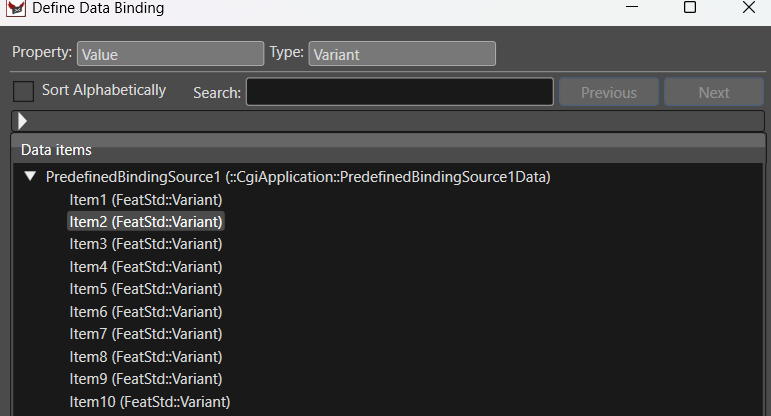
This matrix consists of 10 distinct Data Binding Sources, each containing 10 Items (labeled SOURCE1ITEM1 up to SOURCE10ITEM10). Under the hood, these are FeatStd::Variant types, meaning they can dynamically accept and route integers, floats, booleans, or strings depending on what the hardware requires.
The Python Execution Lifecycle
Integrating this shared memory into the Follower Pi’s Python script follows a strict, highly efficient lifecycle:
- Initialization: The script imports
CanderaAppConnectorandBindingSourceEnum, then points the library to the specific UI asset binary:
App.Init("Robo_316_CE.bin") - Applying Values: As the network thread unpacks the UDP payload, it pushes the physical joint angles directly into the predefined enum slots using type-safe setters:
App.SetFloatValue(BindingSourceItem.SOURCE1ITEM1, joint_1_angle) - The Render Loop (
Step): Because hardware events are asynchronous, the script runs a non-blocking loop continuously callingApp.Step(). This critical function invokes internal message processing, flushes the newly assigned databinding values to the UI, and triggers the frame render. - Graceful Exit: Upon termination,
App.ShutDown()safely frees the allocated graphics resources.
The Visual Connection (No Code Required)
The true power of this architecture becomes apparent inside the Scene Composer GUI. The UI designer does not need to write a single line of parsing logic to catch the network packets.
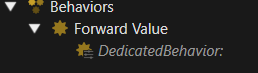
By simply clicking the “chain” icon next to any 3D object’s rotation property in the properties panel, the designer selects PredefinedBindingSource1 -> Item1 from a dropdown menu.

When App.Step() runs in the Python middleware, the float value from the physical robot is instantly routed to that specific 3D joint. Inside the engine, it feeds into a visual Map Value node to handle any required axis offsets, and immediately drives the Set Rotation command on the digital twin’s mesh.
Conclusion
This project serves as a powerful demonstration of how modern embedded GUI frameworks can bridge the gap between physical reality and digital representation. By utilizing Python for rapid network and hardware prototyping alongside an optimized, data-bound 3D graphics engine, developers can bypass the traditionally steep learning curve of C++ motor drivers and manual UI event loops.
The result is a system where physical machines and digital interfaces don’t just communicate—they operate as a single, perfectly synchronized entity.
A video of the final project can be found here: